FBSAT59 - Amateur Satellite Tracking & Communication Software
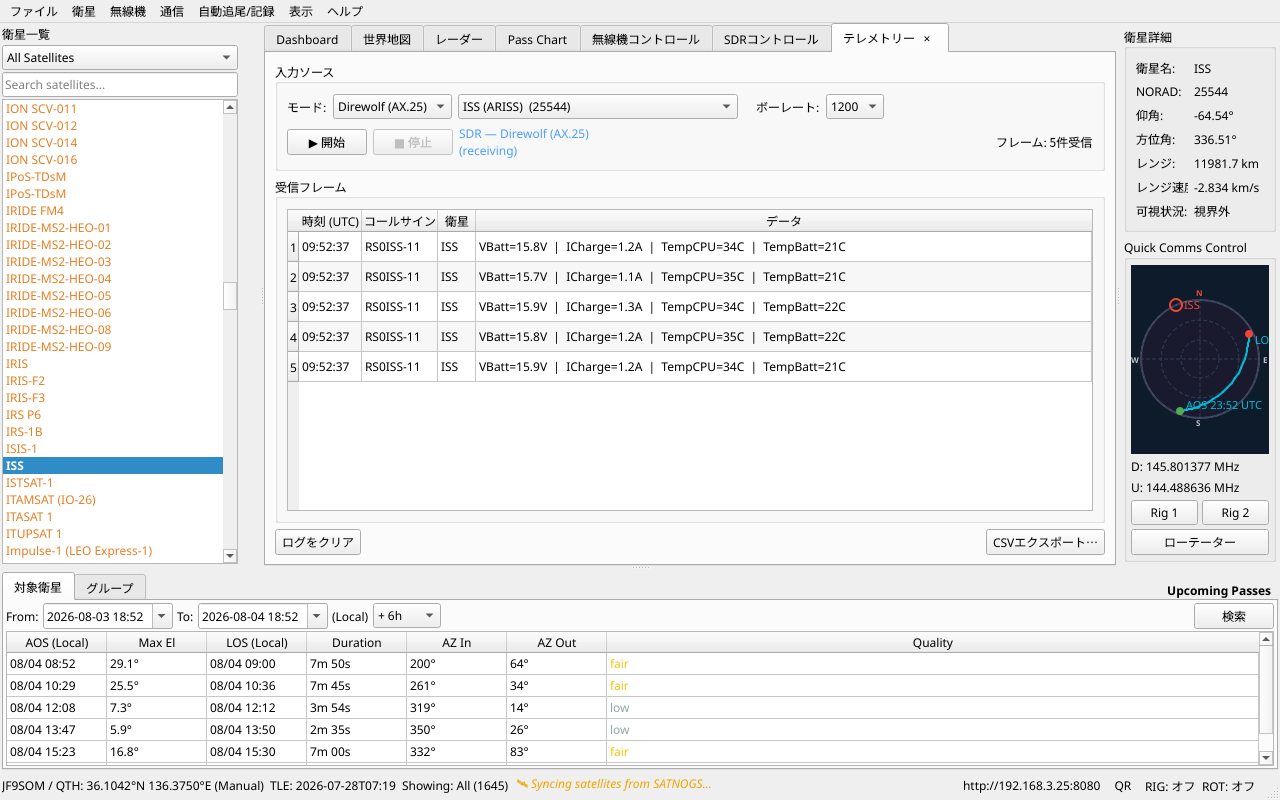
Welcome to FBSAT59, a modern open-source application for amateur satellite tracking and communication. Track satellites in real-time, control your radio equipment, receive amateur radio communications, and monitor satellite telemetry from your desktop or mobile device.
Key Features
- Real-time satellite tracking — position and pass predictions computed with Skyfield
- Built-in Hamlib rig control — Direct (CAT) or NET (
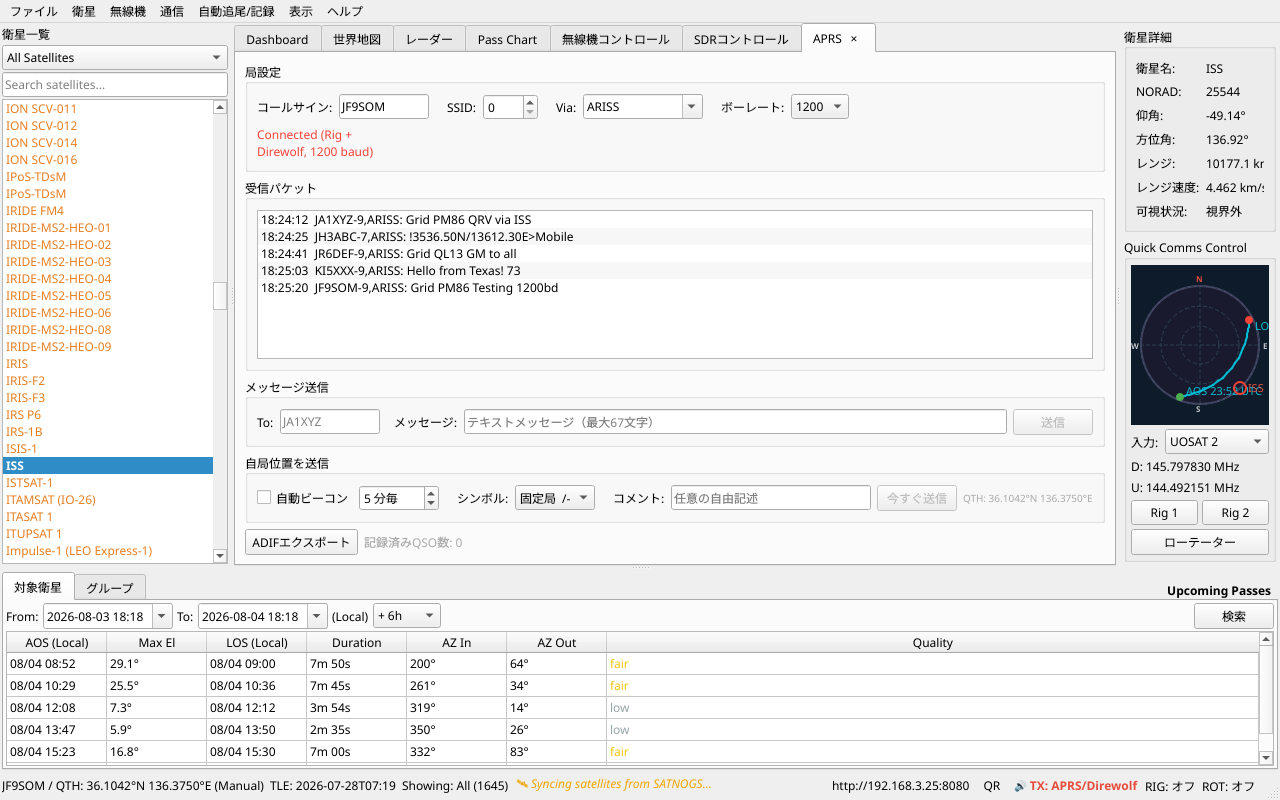
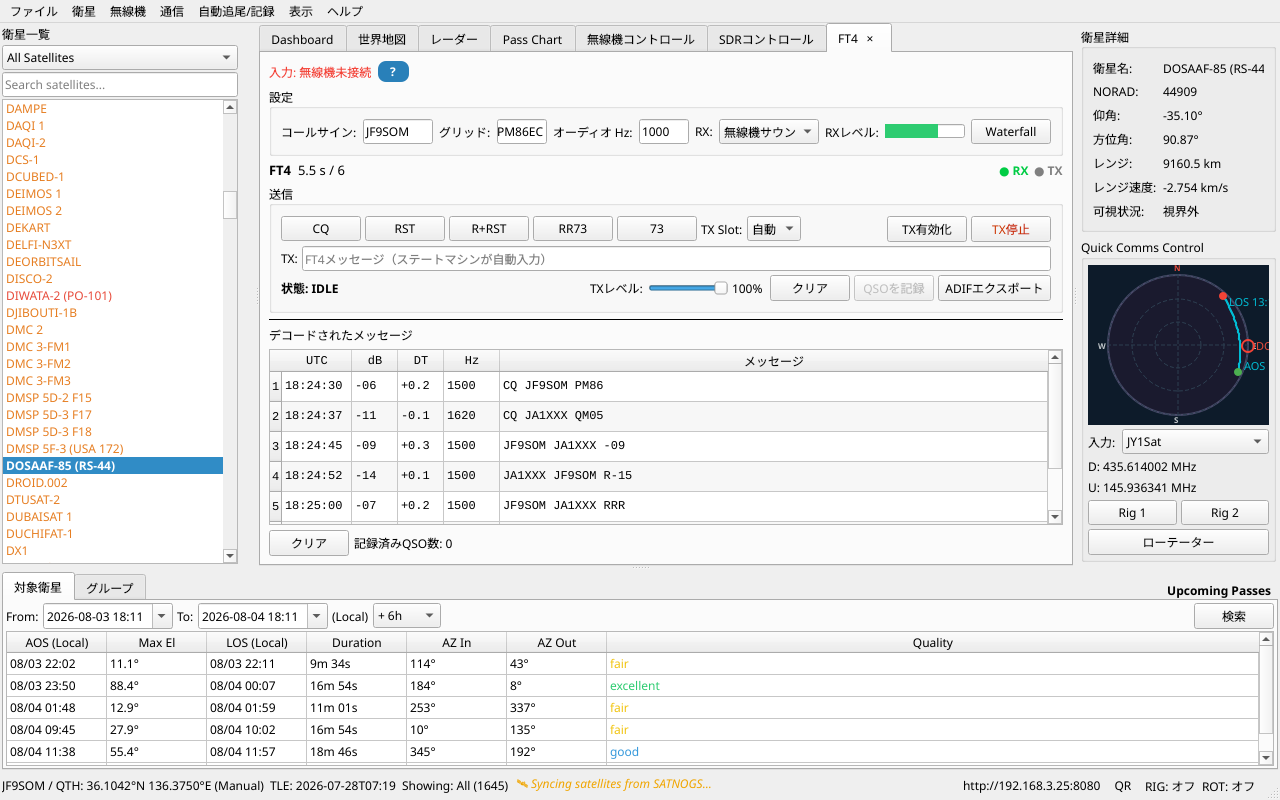
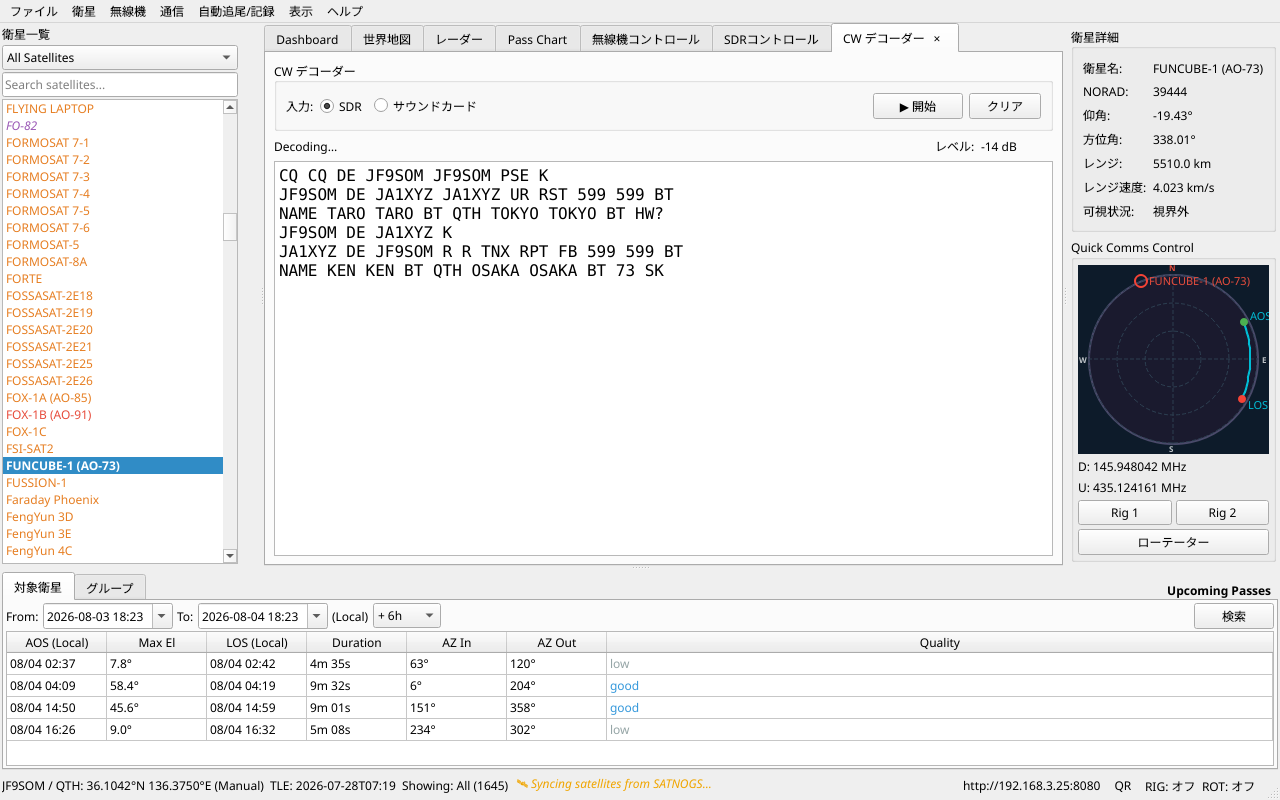
rigctld-compatible) per rig, plus rotator control - Communications suite — APRS, Telemetry, FT4, Q65, CW, SSTV/SSDV, AX100 Digi, METEOR/HRPT
- SatNOGS telemetry upload — decoded frames can be forwarded to the SatNOGS DB
- Web interface — watch a pass and connect the rig from a phone on the same LAN
- Automatic TLE updates — six CelesTrak group feeds plus per-satellite SatNOGS lookup
- Transmitter database — SatNOGS sync with local add/edit/override
- Cross-platform — Linux (AppImage), Windows, macOS (Apple Silicon)
Getting Started
Choose your starting point:
| Topic | Links |
|---|---|
| New here | Installation → Getting Started |
| User Guide | Setup, Satellite Tracking, Radio Control, Communications, Web Interface, Configuration |
| Stuck? | Troubleshooting |
| Integration | API Reference |
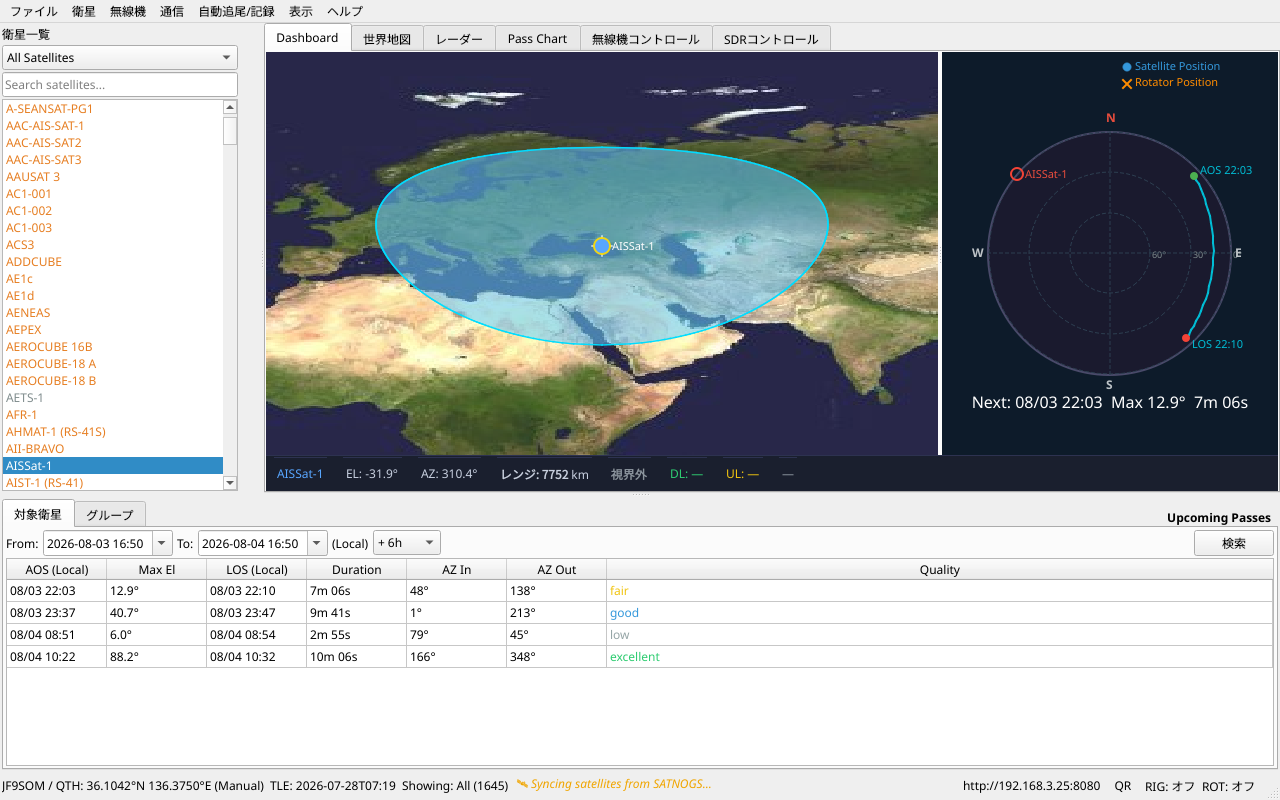
Screenshots
Main Dashboard
Communications Modes
System requirements
- Linux — x86-64, a reasonably modern distribution (AppImage)
- Windows — 8.1 or later (10/11 recommended)
- macOS — Apple Silicon (M-series)
- A dual-core CPU, ~2 GB RAM and a few hundred MB of disk are plenty; an SDR and its wideband processing benefit from more.
Project status
Version: 0.3.76 · License: GPL-2.0 · Actively developed
Links
- GitHub: https://github.com/JF9SOM/fbsat59
- Issues & Bug Reports: https://github.com/JF9SOM/fbsat59/issues
- Discussions: https://github.com/JF9SOM/fbsat59/discussions
Language
This documentation is available in:
- English — Primary documentation
- 日本語 — Japanese translation (select from language menu)
FBSAT59 is maintained by JF9SOM. For support, please visit the GitHub repository or contact the community.