Radio Control
FBSAT59 provides comprehensive radio control with automatic Doppler correction, mode selection, and CTCSS tone management — all automatically synchronized with satellite positions.
Overview
The Radio Control tab is the command center for your amateur radio equipment:
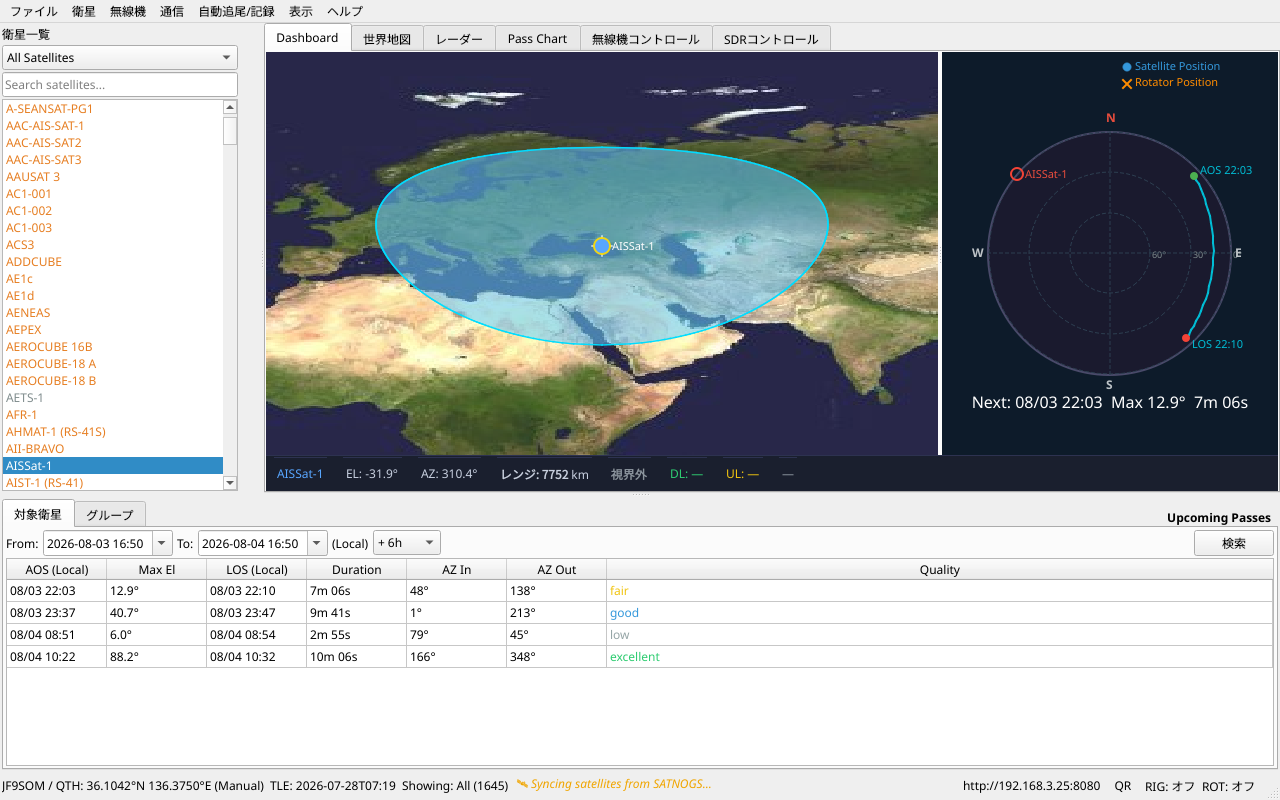
- Downlink (RX) frequency — Automatically adjusted for Doppler shift
- Uplink (TX) frequency — With per-transponder offset memory
- Mode — USB, LSB, CW, FM, automatically set for transponders
- CTCSS/DCS tone — Automatically selected from transmitter database
- Real-time indicators — Signal strength, lock status, current elevation
Built-in Hamlib Support
FBSAT59 includes Hamlib, the industry-standard amateur radio control library supporting 700+ radio models.
Supported Radios (Examples)
| Manufacturer | Model | Mode | Connection |
|---|---|---|---|
| Yaesu | FT-991A, FT-857D, FT-817ND | All modes | USB/Serial |
| Icom | IC-9700, IC-9100, IC-705, IC-7300 | All modes | USB/LAN |
| Kenwood | TS-2000, TS-890S | All modes | Serial |
| Elecraft | K3S, KX3 | All modes | USB |
| Transceiver | Many others | Various | Check Hamlib docs |
Connection Methods
1. Direct USB Connection (Recommended)
Most modern radios connect via USB serial:
# Linux: Appears as /dev/ttyUSB0 or /dev/ttyACM0
# Windows: COM3, COM4, etc.
# macOS: /dev/tty.usbserial-xxx
- Connect radio via USB
- Settings → Rig Settings
- Select radio model from dropdown
- Port auto-detects
- Click [Connect]
2. Network (TCP/IP)
For radios on your local network (e.g., Icom IC-9700 with Ethernet):
- Settings → Rig Settings
- Select "Network (TCP)"
- Enter radio IP address
- Click [Connect]
3. Rotator Control (Optional)
Control antenna rotator (azimuth/elevation):
- Settings → Rotator Settings
- Select rotator model
- Serial port configuration
- Click [Connect]
Both radio and rotator can be controlled independently.
Doppler Tuning
As a satellite moves toward or away from you, its signal frequency shifts (Doppler effect). FBSAT59 automatically calculates and applies Doppler correction.
How It Works
- Real-time position — FBSAT59 calculates satellite position every second
- Doppler shift — Based on satellite velocity relative to you
- Frequency adjustment — Your rig's frequency is automatically updated
Example: When ISS passes over your location: - AOS (Acquisition) — Doppler shifts downlink UP (satellite approaching) - TCA (Closest approach) — Minimum Doppler shift (peak elevation) - LOS (Loss of Signal) — Doppler shifts DOWN (satellite receding)
Doppler Lock
The [L] button toggles Doppler tuning:
- L (ON) — Frequency updates automatically every second
- L (OFF) — Fixed frequency (manual tuning only)
Use L (OFF) when: - Testing transmitter response (Doppler can mask frequency errors) - Receiving narrow-bandwidth modes that require stable frequency - Troubleshooting radio connectivity
Transponders & Modes
FBSAT59 displays all available transmitters for the selected satellite:
- Downlink frequency — What you receive
- Uplink frequency — What you transmit (if applicable)
- Mode — FM, SSB, CW, PSK, etc.
- CTCSS/DCS — Tone/code requirement (if any)
- Bandwidth — For digital modes
- Status — Active, inactive, or unknown
Click any transponder to select it. All frequencies and modes update automatically.
Manual Frequency Override
Want to use a custom frequency not in the database?
- Right-click transponder → Edit
- Modify downlink/uplink frequencies
- Save (stored locally, survives app restart)
Advanced Features
Rig 1 + Rig 2 (Dual Radio)
Connect two radios (or one radio + one SDR) simultaneously:
- Settings → Rig 1 Settings (first radio)
- Settings → Rig 2 Settings (second radio, optional)
- Both appear in Radio Control tab
Use cases: - Uplink on Rig 1, Downlink on Rig 2 (split frequency operation) - Backup radio (automatic failover if Rig 1 disconnects) - Simultaneous APRS/Telemetry reception on separate bands
Frequency Preset
When you select a transponder, FBSAT59 automatically writes frequencies to your radio — even before pressing [Connect].
This ensures your radio displays the correct satellite frequencies immediately.
CW Toggle
For SSB/USB/LSB transponders, a CW button appears:
- Click once → Switch to CW-U (CW Upper Sideband)
- Click again → Switch back to original mode
Perfect for quick CW/SSB switching without manually selecting modes.
Troubleshooting Radio Connection
"Serial Port Not Found"
- Check USB cable connection
- Install FTDI drivers (Windows/Mac): https://ftdichip.com/drivers/
- Linux:
lsusbto verify radio appears
"Radio Model Not Listed"
- Your radio is supported by Hamlib (700+ models)
- Search Hamlib documentation for your model
- Try a compatible model (e.g., "FT-991" if you own "FT-991A")
Doppler Shift Too Aggressive
- Check TLE age (Help → TLE Status)
- Outdated orbital elements cause incorrect Doppler calculation
- Click Satellite menu → Fetch TLE Data to update
Frequency Jitter
- Radio firmware may limit update rate (some older radios)
- Try increasing Doppler update interval in Settings
- Some radios require mode-dependent baud rates
Radio Control Keyboard Shortcuts
| Shortcut | Action |
|---|---|
Ctrl+C |
Connect to radio |
Ctrl+D |
Disconnect |
L |
Toggle Doppler Lock |
T |
Toggle PTT (Push To Talk) |
R |
Record audio |
Next Steps
- Communications Modes — APRS, FT4, Q65, CW
- Web Interface — Control from your phone
- Troubleshooting — Common issues